
An old computer can hold more than the files you remember saving. Browsers, saved passwords, work documents, photos, tax records, and account details may remain after you delete a few folders. California also treats many electronics as e-waste that need an appropriate handling route.
A responsible cleanout starts with data security. It then moves to the right recycling, reuse, or removal option.
To understand how to dispose of old computers, back up anything you need and sign out of every account. Permanently wipe the storage drive or remove it when appropriate. Then choose a current California e-waste, take-back, donation, or pickup option. The right choice depends on the device, its condition, the information it contains, and how much equipment you need to move.
The process is different for one laptop at home, several desktops in an office, and a property cleanout with monitors, printers, cables, and furniture. Use the steps below to protect your information and keep electronics out of the wrong waste stream.
How to dispose of old computers without exposing your data
Before a computer leaves your home or office, back up needed files and sign out of accounts. Remove saved access. Use a reliable reset or secure-erase method, and consider removing the storage drive if you cannot verify erasure. A normal file deletion is not enough for sensitive information.
Treat the storage drive as the part that needs the most attention. A computer may retain browser sessions, saved passwords, cloud credentials, financial files, medical records, customer information, or private photos. Follow this sequence before arranging a drop-off or pickup.
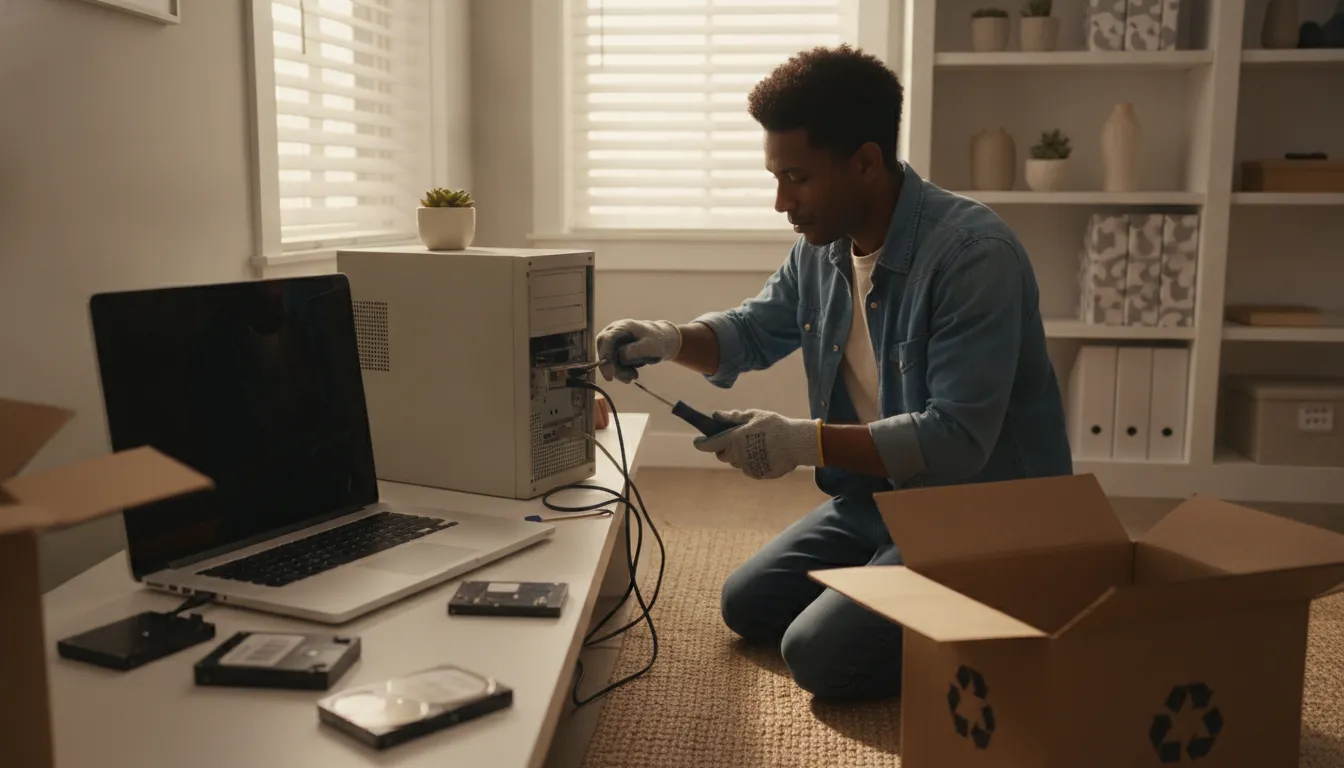
- Back up what you still need. Copy important documents, photos, license keys, and other files to a trusted external drive or secure cloud account. Open several files from the backup to confirm they transferred correctly. Do not assume a later reset will preserve anything on the machine.
- Sign out of accounts. Log out of email, cloud storage, password managers, shopping accounts, and work platforms. Deauthorize the computer from services that limit connected devices. Remove saved payment information and disconnect the device from account dashboards when those options are available.
- Use the operating system reset or erase function. Follow the instructions for the computer’s operating system and keep the device connected to power. Choose the option that removes personal files and returns the computer to its setup state. A quick deletion of visible folders does not reliably remove all recoverable data.
- Use a secure wiping method when the risk justifies it. Reputable wiping software can overwrite a drive, but read its instructions carefully and confirm that you selected the correct device. If the computer held confidential business or client information, follow the organization’s data-retention policy before erasing anything.
- Remove the hard drive or solid-state drive when appropriate. If the computer will not start, the reset cannot be verified, or you want to retain the storage device, have the drive removed. Store it securely until it is erased, retained, or handled through a qualified destruction provider. Do not put a loose drive in regular trash.
- Separate damaged batteries. Do not puncture, crush, dismantle, or place a swollen, leaking, or damaged lithium-ion battery in a trash or recycling cart. Set the device aside and confirm the correct local handling route before moving it.
If you cannot confirm that sensitive data is gone, keep the drive with you and ask a qualified technician about the safest next step. Do not assume that an electronics drop-off or a general junk pickup includes certified data destruction. Ask what the provider handles and what documentation it supplies.
What California rules apply to old computers and e-waste?
California routes many covered electronic devices through an e-waste collection or recycling channel instead of ordinary household trash. Covered screens, laptops, monitors, and related equipment can have different acceptance rules. So check the current device category, battery guidance, local program requirements, and handler instructions before transporting them.
California’s Electronic Waste Recycling Act of 2003 established a statewide system for collecting and recycling certain electronic waste. The state also treats e-waste as universal waste because some components may contain heavy metals and other hazardous constituents. The exact rule depends on the device, screen, battery, and collection program.
| Consideration | What it means for disposal |
|---|---|
| Covered Electronic Devices | Laptop computers, LCD or OLED monitors, tablets, smart displays, and some CRT displays can fall within covered categories. Confirm the current definition before choosing a route. |
| Universal-waste handling | Some electronics contain materials that require an appropriate collection or handling channel. Do not place questionable electronics in ordinary trash. |
| Local acceptance rules | City and county programs can vary in accepted items, quantity limits, appointments, residency requirements, and battery procedures. |
| Registered handlers | Ask an electronics recycler about the materials it accepts and its handling process. The California DTSC electronic hazardous-waste guidance provides regulatory context. |
| State program guidance | Use CalRecycle’s Covered Electronic Waste program information for current state guidance. |
Retailers collect a California recycling fee when certain covered display devices are sold. That fee helps fund end-of-life collection and recycling. It does not mean every retailer accepts every old computer, monitor, cable, or battery. Confirm the store’s current item and appointment policy first.
Handle laptop batteries carefully
Portable computers may contain built-in batteries, and battery-embedded products can have separate instructions. Keep damaged equipment away from heat and anything that could puncture it. Do not dismantle a swollen battery or place it in a curbside recycling cart. Tell the collection site or removal provider about damaged equipment before loading it.
Where can you recycle old computers in California?
Common options include a city or county collection program, retailer or manufacturer take-back, a dedicated electronics recycler, donation or refurbishment, and professional pickup. Compare the option’s accepted materials, data-wiping expectations, fees, appointment rules, quantity limits, and battery instructions before you commit.
There is no single disposal route for every computer. A working laptop may be a reuse candidate, while a broken CRT monitor needs a specialized e-waste channel. A business may need an inventory and controlled handoff. A homeowner may prioritize convenience because the equipment is heavy or difficult to transport.
| Option. | Best for. | Confirm first. |
|---|---|---|
| Retailer or manufacturer take-back. | One or a few computers, monitors, or accessories. | Accepted brands, item limits, fees, appointments, and data-wiping expectations. |
| City or county program. | Residents who can transport equipment to a collection location. | Drop-off address, residency rules, event dates, quantity limits, and battery guidance. |
| Electronics recycler. | Broken equipment or multiple types of electronics. | Accepted materials, handling credentials, intake process, and pickup availability. |
| Donation or refurbishment. | Computers that work reliably and can be reused. | Condition requirements, data-erasure process, accessories, and model acceptance. |
| Professional pickup. | Multiple devices, heavy monitors, offices, and property cleanouts. | Service area, volume-based estimate, item handling, and routing for reusable or recyclable equipment. |
Before driving to a facility, call or check its current instructions. Ask whether it accepts towers, laptops, monitors, printers, cables, docking stations, keyboards, and battery-embedded products. A site that accepts televisions may not accept every computer component. Keep similar items together and protect screens during transport.
For broader recycling information, read Vets Move Junk’s electronics recycling guide for California and e-waste disposal guide. Those resources can help you sort a mixed electronics load before selecting a drop-off or pickup.
How should businesses dispose of old computers?
Businesses should inventory equipment, assign responsibility for data wiping, separate computers from monitors and batteries, stage items securely, control the handoff, and retain pickup or recycling records. A planned office collection reduces disruption and makes the equipment trail easier to review.
Business computer removal requires more planning than placing an outdated device at the curb. Offices and property managers may handle employee information, tenant records, customer data, and equipment distributed across several rooms. A simple chain of custody helps keep the project organized.

- Build an equipment inventory. List each desktop, laptop, monitor, tower, printer, docking station, keyboard, cable, and peripheral. Note the room, asset tag, serial number, working condition, and whether the item contains a battery. Include devices stored at home or in a supply room.
- Set the data policy before pickup. Decide who will back up files, sign users out, remove device-management access, and wipe storage. IT may use approved wiping software or remove and secure the drive. Do not assume that deleting files meets the company’s requirements.
- Create a controlled staging area. Keep inventoried devices together in a secure room or other approved location. Assign one contact to release equipment and reconcile the pickup against the inventory.
- Separate categories that need different handling. Group computers and laptops separately from monitors, printers, cables, peripherals, and loose batteries. Flag swollen, damaged, or loose batteries before the provider arrives.
- Keep disposal documentation. Save the inventory, pickup date, provider details, and any wiping, reuse, recycling, or transfer records. Do not describe a service as certified destruction unless the provider supplies that service and documentation.
- Schedule around the workday. Confirm parking, elevator access, loading instructions, building rules, and the arrival window. Consolidate equipment near an accessible entrance when permitted. A prepared handoff keeps disruption focused on one window.
For a larger project, Vets Move Junk’s commercial office cleanout guide, commercial electronics recycling guide, and office decommissioning checklist provide related planning context. Describe the equipment and access conditions before booking so the removal plan fits the site.
Can you donate or reuse an old computer?
Yes, if the computer works reliably and a receiving organization accepts that model and condition. Back up files, sign out of accounts, remove saved access, and complete a factory reset or reliable data wipe before donation. Broken equipment is usually a better candidate for an appropriate electronics recycling channel.
Donation or refurbishment can extend the useful life of a working computer, but reuse should not bypass data security. Ask the nonprofit, school, community organization, or refurbishment program what it accepts before making a trip. Some groups accept a complete computer only. Others accept laptops, desktops, monitors, keyboards, or accessories separately.
Prepare a working device for donation
Back up needed files and open several backup files. Sign out of email, cloud storage, password managers, and work accounts. Remove saved passwords and payment details. Deactivate software licenses or device-management access when required. Then use the operating system’s reset or secure-erase process. If the device held sensitive business, medical, financial, or family information and you cannot verify the result, ask a qualified technician to remove or handle the drive.
Sort monitors, cables, and batteries
Keep a working monitor with its stand, power cord, and compatible video cable when possible. Separate usable equipment from cracked, swollen, leaking, or unsafe items. Tell the receiving organization about known defects. Nonfunctional equipment should generally move through an electronics recycling route rather than ordinary household trash. Battery instructions can differ, so confirm them with the program, retailer, or recycler.
If donation is not practical, professional pickup can simplify the next step. Vets Move Junk can coordinate removal of computers, monitors, printers, cables, and related items from homes, offices, and cleanouts. Items can move toward donation or responsible e-waste handling when appropriate.
What does computer removal cost?
Computer removal pricing depends on the amount of truck space the job uses, not a fixed price per computer. The estimate reflects the combined footprint of towers, monitors, packaging, furniture, peripherals, access conditions, and other items included in the removal.
One old laptop and a full office cleanout are different jobs. The number of computers alone does not determine the load because a large monitor, desk, printer, packaging, or other junk changes the space required. Vets Move Junk uses a volume-based estimate rather than publishing a fixed price list for this service.
Single computer or a few items
A laptop, desktop tower, monitor, or printer may occupy a small part of the truck. Several related items are considered together based on their combined footprint. This can fit an upgrade, move, home office refresh, or small property cleanout.
Multiple devices and larger loads
- Small load: A limited group of computers, monitors, and accessories uses a small section of the truck.
- Medium load: Equipment from several rooms, a department, or a modest storage area takes a larger portion of the available space.
- Large load: A full office cleanout, property turnover, or sizable electronics accumulation fills much of the truck.
These are descriptions of truck capacity, not preset packages. An onsite estimate accounts for the actual items, volume, and access conditions. Review the junk removal pricing guide for more detail on volume-based estimates, and use the California moving cleanout guide if the computers are part of a move.
Get a free onsite estimate for old computer and e-waste removal
Frequently Asked Questions
What should I do with my old computer before I dispose of it?
Back up needed files, sign out of accounts, remove saved passwords, and use the operating system’s reset or secure-erase option. If the device will not start or the result cannot be verified, ask a qualified technician about removing and securely handling the storage drive.
How do I remove everything from my old computer?
Transfer important files and confirm that backups open correctly. Sign out of cloud accounts, deactivate software licenses, remove saved payment information, and use the correct reset or secure-erase function. Deleting individual files does not reliably remove every recoverable record.
Can I donate an old computer instead of recycling it?
Yes, when it works reliably and meets the receiving organization’s requirements. Wipe personal or business data first, include compatible working accessories when possible, and ask whether the organization accepts the specific computer and operating system. Nonworking devices are usually better candidates for electronics recycling.
Where can I take old computers in California?
Options may include a city or county collection program, a retailer or manufacturer take-back program, a dedicated e-waste recycler, a donation or refurbishment program, or professional pickup. Accepted items, fees, appointments, quantity limits, and battery handling vary. Confirm current requirements before loading your vehicle.
Get started with responsible computer removal
Old computers can be difficult to prepare, carry, and route to the right option. A pickup can simplify the process for a home, office, or cleanout while keeping the next step clear. Vets Move Junk handles the lifting and logistics, with estimates based on the space used by the job.